The event logistics spreadsheet your team needs to execute without you

Table of Contents
You’ve built timelines before. You’ve built planning docs before. You’ve probably even built spreadsheets before. Most of those were designed to get you ready for the event, though. Not to run it. That distinction matters more than you’d think.
When your operational details are spread across emails, memory, Slack messages, and separate team docs, your team can’t move confidently on-site without checking with you first. A real logistics spreadsheet changes that by making the event operationally visible to everyone who needs to execute it.
This article walks through the major sections of a real event logistics spreadsheet and, more importantly, why each one exists operationally. Every column was added to solve a specific problem that kept showing up on-site.
Prefer to watch? The full breakdown is in the video below. Otherwise, let’s dive in.
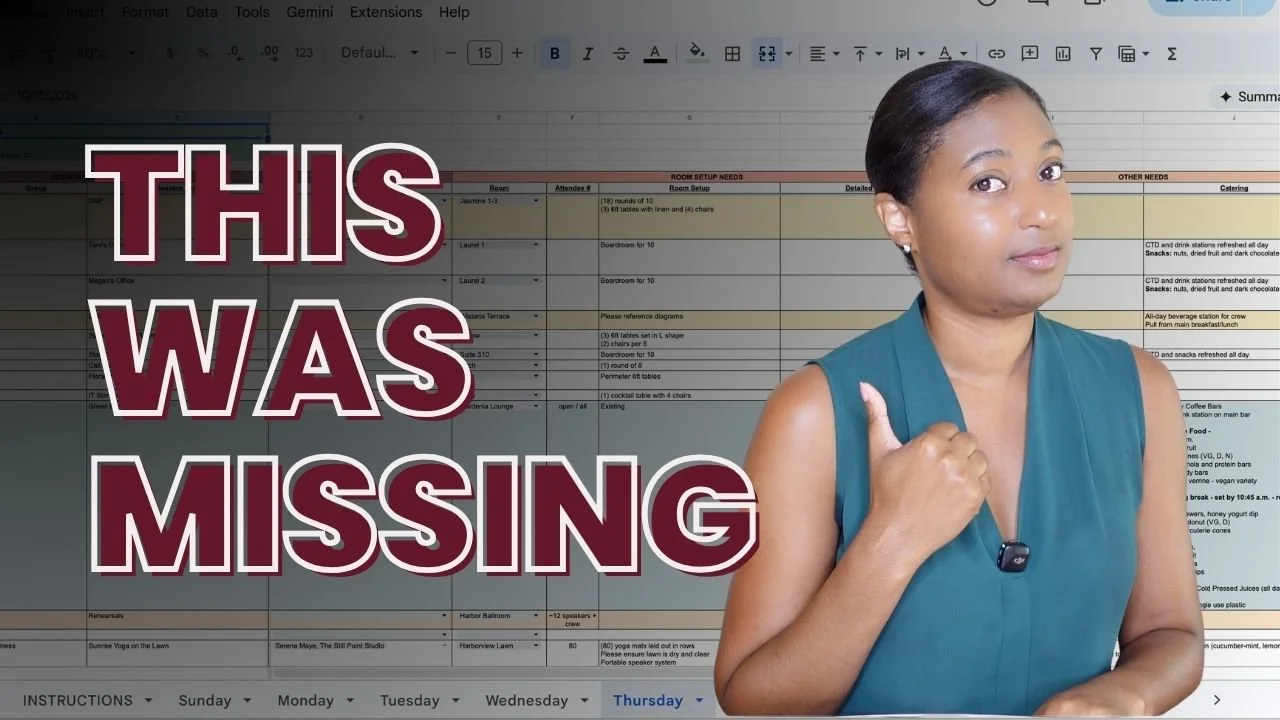
The structure: one tab per day, organized by time block
Most planning documents are organized around workstreams: speaker management, registration, marketing, venue coordination, AV, sponsorships. That works during planning. Your team needs to track tasks across categories, and workstreams keep those categories clean.
On-site, though, your team isn’t operating by workstream. They’re operating by time. What’s happening right now. What’s happening next. What needs to change between the two. That shift from category-based to time-based is why a logistics spreadsheet is structured completely differently from anything you used during planning.
One tab per event day. Every row represents a time block. Not just the sessions your attendees see. The setup window before the opening session gets a row. The lunch break gets a row. The 30-minute room flip between sessions gets a row. The rehearsal time for your keynote speaker gets a row. The sponsor load-in, the networking transition, the catering reset: they all get their own rows.
Operational pressure almost always builds in the transitions. Not the keynote itself, but the room flip before the keynote. Not lunch, but the catering reset happening while attendees are still networking in the hallway. If those transition moments aren’t visible in the document, your team has no way to see them coming.
The structure also means your team can see the full day’s flow, not just their individual assignments. If someone is supporting the 2:00 p.m. breakout, they can look up two rows and see the room flip scheduled for 1:30 and it’s tight. They can start preparing early without being told. That kind of anticipation only happens when the operational flow is visible.
Session details: the columns your whole team navigates from
Every row starts with the session details: time, group or department, session title, room, layout, numbers, and speakers. These columns are the navigation system for the entire event. They answer the most basic operational question: “What is supposed to be happening right now, and where?” That question gets asked dozens of times on event day. Every time the document answers it instead of you, that’s one less interruption.
For shorter sessions, those core columns are enough. For sessions with more complexity, though, with multiple segments, speaker transitions, or built-in activities, you need a detailed timing column that breaks the session down further. Instead of one line that says “9:00 a.m. to 12:30 p.m., Leadership Workshop,” your support team can see the full internal flow: when the welcome wraps, when the first exercise starts, when the break hits, and when things should be winding down.
That level of detail is what allows your session support person to know exactly when transitions should happen without asking. It’s what lets your AV team anticipate cue timing. It’s what lets catering see whether a session is running behind before they roll a refresh cart into the room at the wrong moment.
These columns tell your team what’s happening. Every column that follows tells your team and your vendors what needs to be in place to make it happen.
Room setup and AV: the columns your venue and tech team work from
Room setup columns capture layout (rounds, theater, boardroom, cabaret, mixed seating), guest count, podium, flip chart, and setup notes for anything specific. Things like “reserve front two rows,” “stage should face west,” “clean and clear the setup by 6 p.m.” These seem like small details. Each one, if left undocumented, becomes either a phone call from you to the venue or a setup mistake you catch during your 6 a.m. walkthrough. When they’re in the spreadsheet, your venue coordinator can read them before they ever start setting the room.
The AV columns capture microphones and type, power needs, AV package (screen, projector, confidence monitor), video or demo requirements, and app requirements like polling, Q&A, or push notifications. These columns serve two purposes. Your internal team uses them to see what every room requires at a glance. When you need to brief your venue coordinator or your AVE team, you pull directly from these columns and share the relevant details.
The difference between telling your AV team “we need AV for the afternoon session” and showing them a column that says “podium, mic, one handheld, 8-foot screen package, video switcher, audio package” is the difference between a follow-up call and a tech team that shows up ready to go. Vague briefings create follow-up questions. Specific columns eliminate them.
Support team columns: who’s responsible, by name, for every session
This is the section that changes event day the most. Every session has columns for who’s responsible: who’s leading the session, who’s providing on-site support, who’s handling IT, who’s uploading slides and materials, and what the presentation title is listed under for tech coordination. These aren’t vague role assignments. They’re not the “events team” or “IT support.” They’re names.
When ownership is vague, people hesitate. They wait. They check with you. “Am I supposed to be covering this?” “Who’s handling the room flip?” When ownership is visible and specific, people move. They know exactly what they’re responsible for, and they can see who else is around them if something comes up.
You go from being the person who assigns and coordinates in real time to being the person who set up the assignments ahead of time and now gets to actually be present at your own event.
Catering, notes, and everything else
Depending on the size of your event, you may have a catering requirements column right in the same row as everything else. It might be as simple as “water on tables and refreshed during break” or as detailed as a full menu breakdown with dietary notes, service timing, and special instructions. The reason catering lives in the same row as the session is that catering timing is tied to session timing. If a session runs long, the catering reset is affected. If the break gets shortened, the refresh window changes. When those details live in the same document, the connection is obvious.
Then there’s the notes and actions column. This is the catch-all for everything that doesn’t fit neatly into the other columns, and it’s one of the most operationally valuable parts of the entire document. “Please lock room and provide four keys.” “Direct attendees to the main ballroom.” “Install all clings, completed.” “Please ensure all lighting fixtures are clean and working properly.”
These are tiny details individually. Collectively, they’re the exact details that become live interruptions when nobody documented them. Someone asks about signage placement. Someone asks who has the green room keys. Someone asks whether this room was supposed to be reset already. Each question seems small. Each one pulls you out of whatever you’re doing, requires you to remember the context, find the answer, and deliver it. By mid-afternoon, you’ve answered 30 of them without a single uninterrupted conversation with an attendee.
When those details are in the notes column, your team can find them without finding you first. That’s the whole point.
Why this becomes the document you bring to your pre-con
This is also why the logistics spreadsheet becomes the document you walk through at your pre-con with the venue. You go day-by-day, session-by-session, and cross-check it against the BEOs and the venue’s setup plans. Room-by-room, you’re confirming that what’s in your spreadsheet matches what they’re planning to execute. Setup details, AV requirements, catering timing and menu selections and notes, special notes about room access or furniture, lighting, or more: everything is in one place.
You’re not pulling from memory. You’re not referencing three different email threads. You’re not hoping you remembered to mention something. The pre-con meeting goes from a stressful exercise in “did I forget anything” to a structured walkthrough where both sides can confirm alignment section-by-section.
What this means for your next event
Every piece of this spreadsheet exists for a specific operational reason. Together they create a document that allows your team to execute the event without constantly coming back to you.
You’re not building all of this today. The goal is to see what a finished version actually contains so you stop trying to solve the event pressure with better folders and prettier timelines and start seeing how real execution documents are actually built.
If you want to see where your own setup stands. The Event Pulse Check is a free assessment that takes a few minutes and gives your result right away. It shows you where things are solid and where your event is still depending too heavily on you.